As much as LinkedIn keeps pestering me to, I’m not an influencer type. I enjoy puzzles and when I solve something that has challenged me, my first instinct is to share those insights with others. A pitfall with that process is sharing things that are sometimes inaccurate or just plain wrong. I recently had a situation like that, so here’s a correction!

This was probably the most popular thing I’ve ever posted. It’s a snippet of the #ArcGIS expression language Arcade. The code is supposed to return the attributes of an n-number of features within a container. It didn’t do that; for a few reasons.
var features_to_count = FEATURESETBYNAME($datastore, "Parcels_0sqft"
var features_within = WITHIN($feature, features_to_count)
var calculated_area = 0

if(COUNT(features_within) > 0) {
  for(var within_feature in features_within) {
    calculated_area = calculated_area + within_feature.Shape_Area
  }
}
CONSOLE(calculated_area)
return calculated_area)- the features_to_count variable was actually the container
Parcels_0sqftand not the features within it. When it returned results, it was the area of the container itself. - switching the
feature_to_countvariable to the features within the container “BuildingFootprintsreturned nothing. This is because that parameter only accepts aFeature/Geometryand not aFeatureSet. - I provided a clarification to the originally posted code not working, amended the code to use
INTERSECTS()instead ofWITHIN(), and suggested that there was a bug in the functionWITHIN(). That was wrong.
And this brings us to the title of this piece:
I Don’t Know the Difference Between CONTAINS and WITHIN
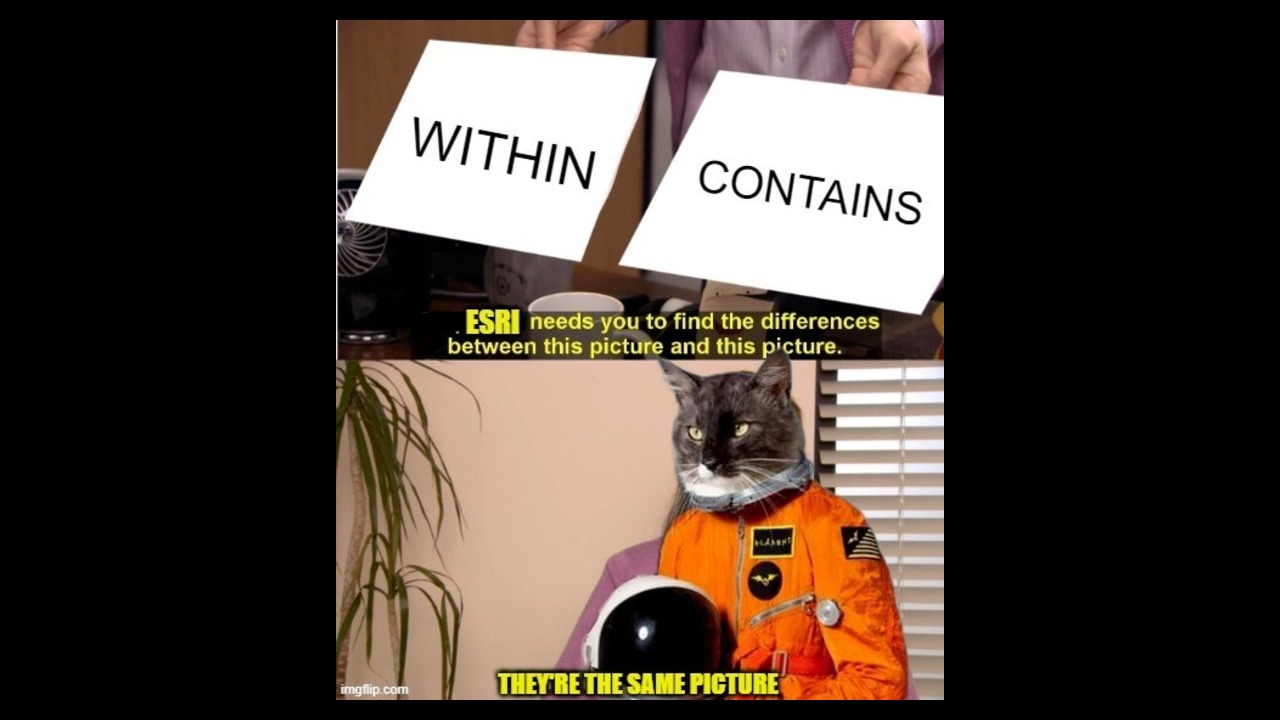
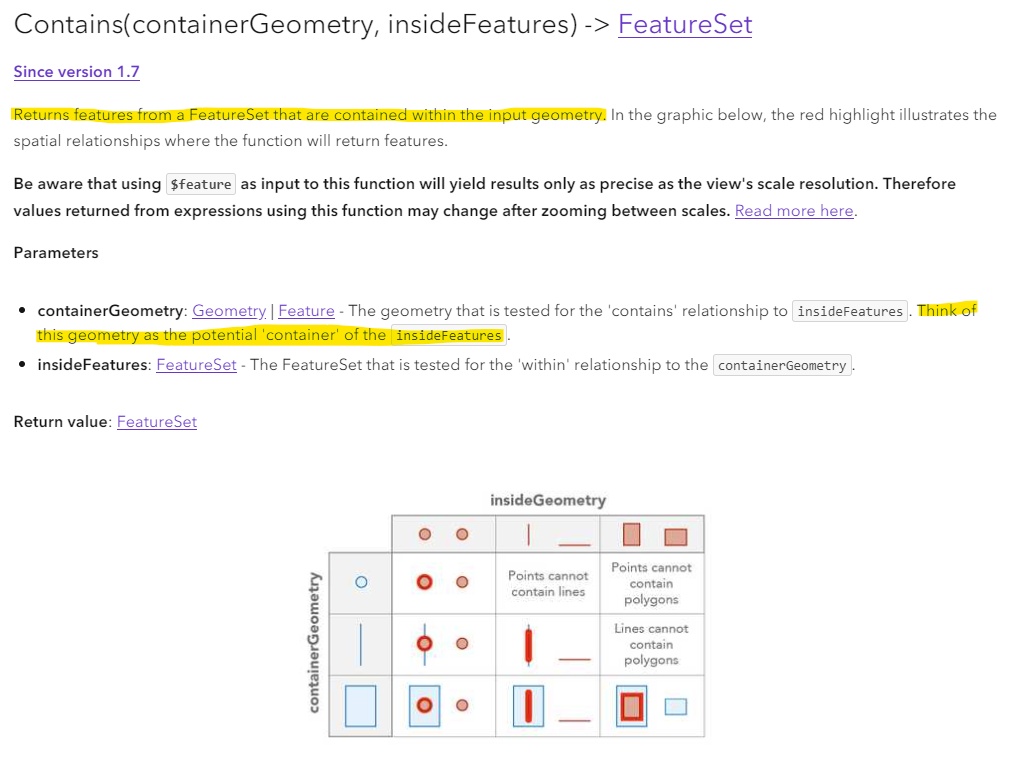
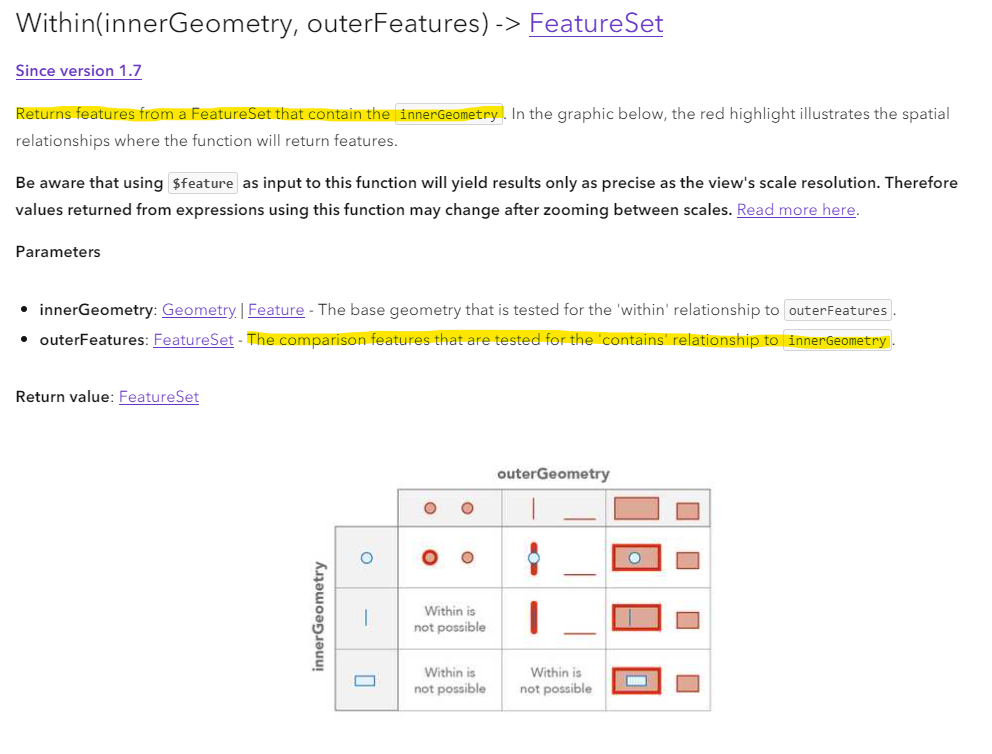
Fortunately, that’s not true anymore. However, I did go through a support ticket process with #esri to finally come to that realization. To be fair, the differences are laid out in the #arcgisarcade documentation (a bit better in CONTAINS than WITHIN). The short version is like this:
CONTAINS, is there something inside of the feature (a container)?WITHIN, is the feature inside of something (a container)?
A good idiom here would be, two sides of the same coin. Similar operations that differ in their directionality.
CONTAINS() documentation:
WITHIN() documentation:
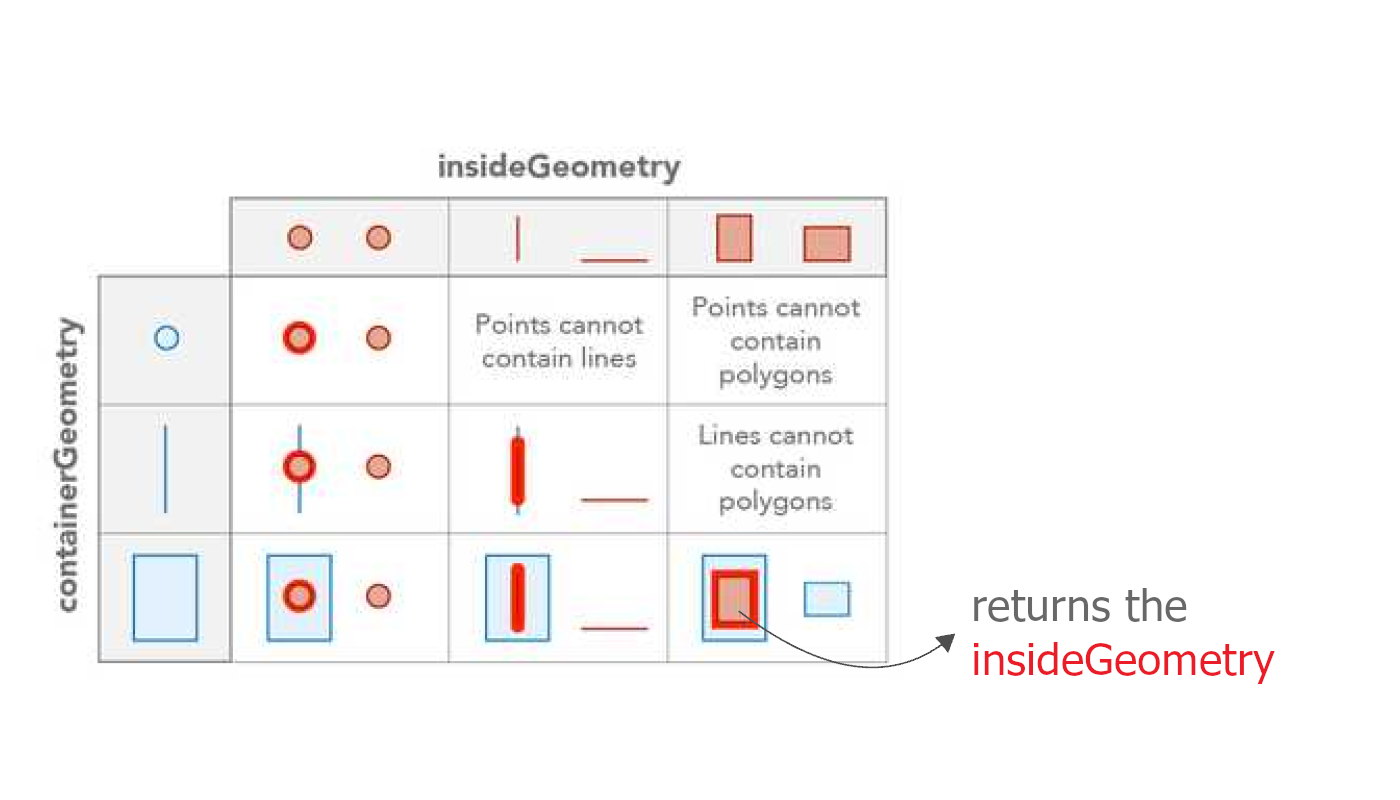
A simple tweak to the diagrams provided could make them more explicit:
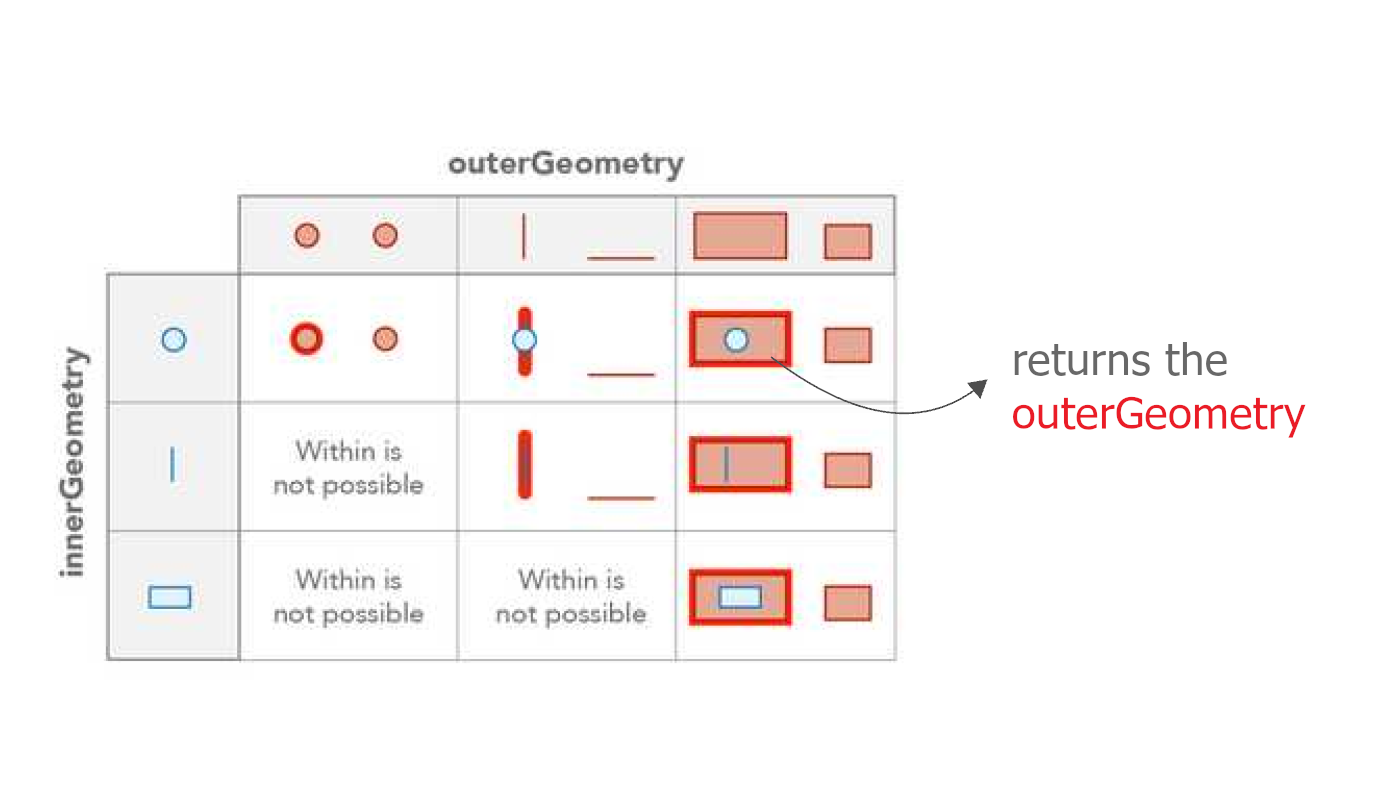
And if you’ve stuck with me this far, here’s the pay-off; a second revision showing how that original code should have been written, with variable names that can be linked back to the documentation:
//https://developers.arcgis.com/arcade/function-reference/geometry_functions/#contains2
var insideGeometry = FEATURESETBYNAME($datastore, "BuildingFootprints")
var containerGeometry = $feature
var features_within_container = CONTAINS(containerGeometry, insideGeometry)

var calculated_area = DefaultValue(Sum(features_within_container, "Shape_Area"), 0)

CONSOLE(calculated_area)
return calculated_area